Church lyrics projected
the right way.

Dual-window operator control, full-screen projector output, KJV Bible integration, and a keyboard-first workflow built for Sunday mornings.

Latest release macOS 10.15+ MIT license Universal binary
Download for macOS View on GitHub
$ brew tap wanmekwi/hymnbeam && brew install --cask hymnbeam

In action

Two windows, one purpose.

The operator sees everything — the congregation sees only the lyrics.

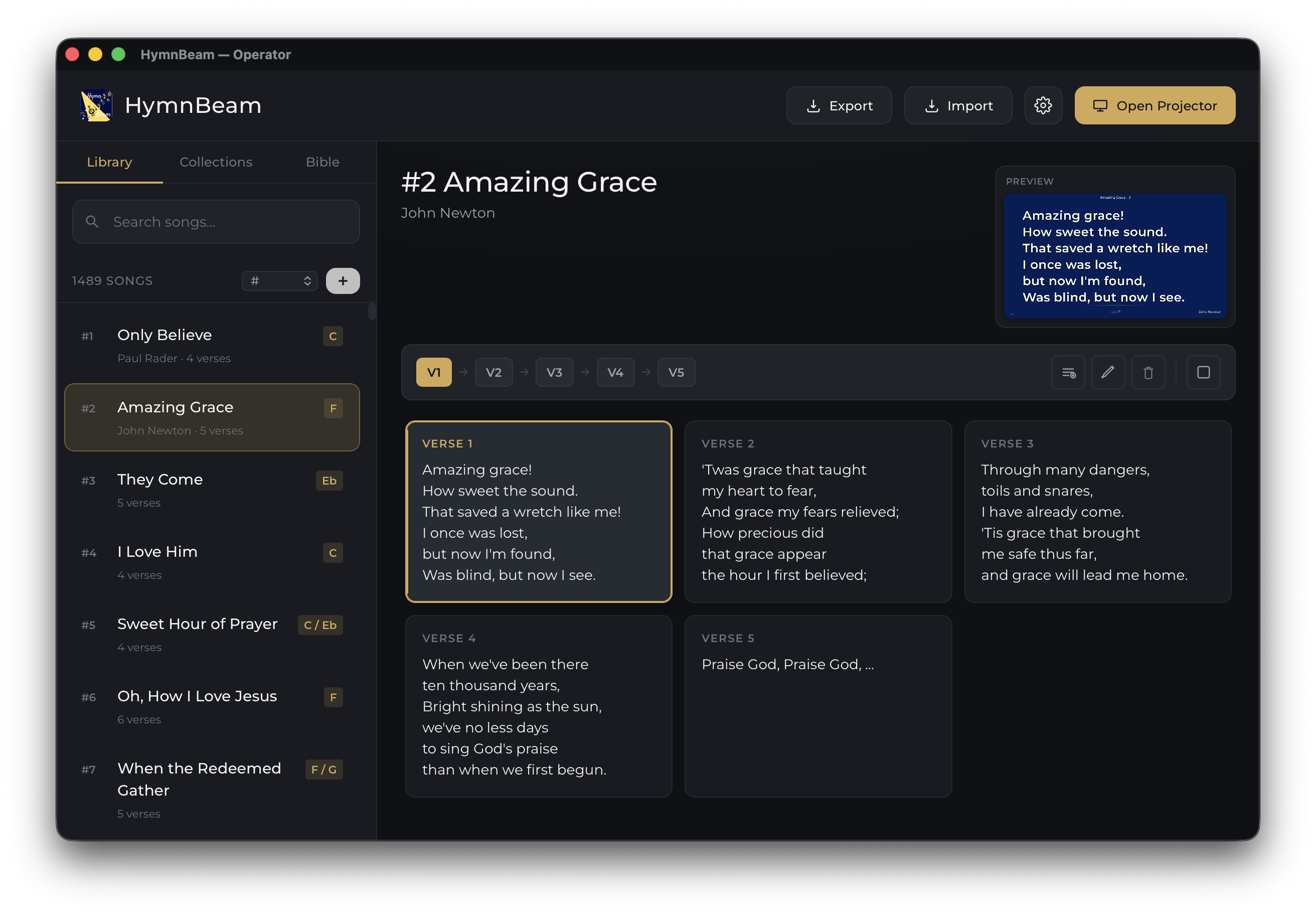
HymnBeam operator window showing Amazing Grace with all five verse cards and a live preview panel

Operator panel

Song list, verse cards, live preview, and collection navigator — all in one dark window on your laptop.

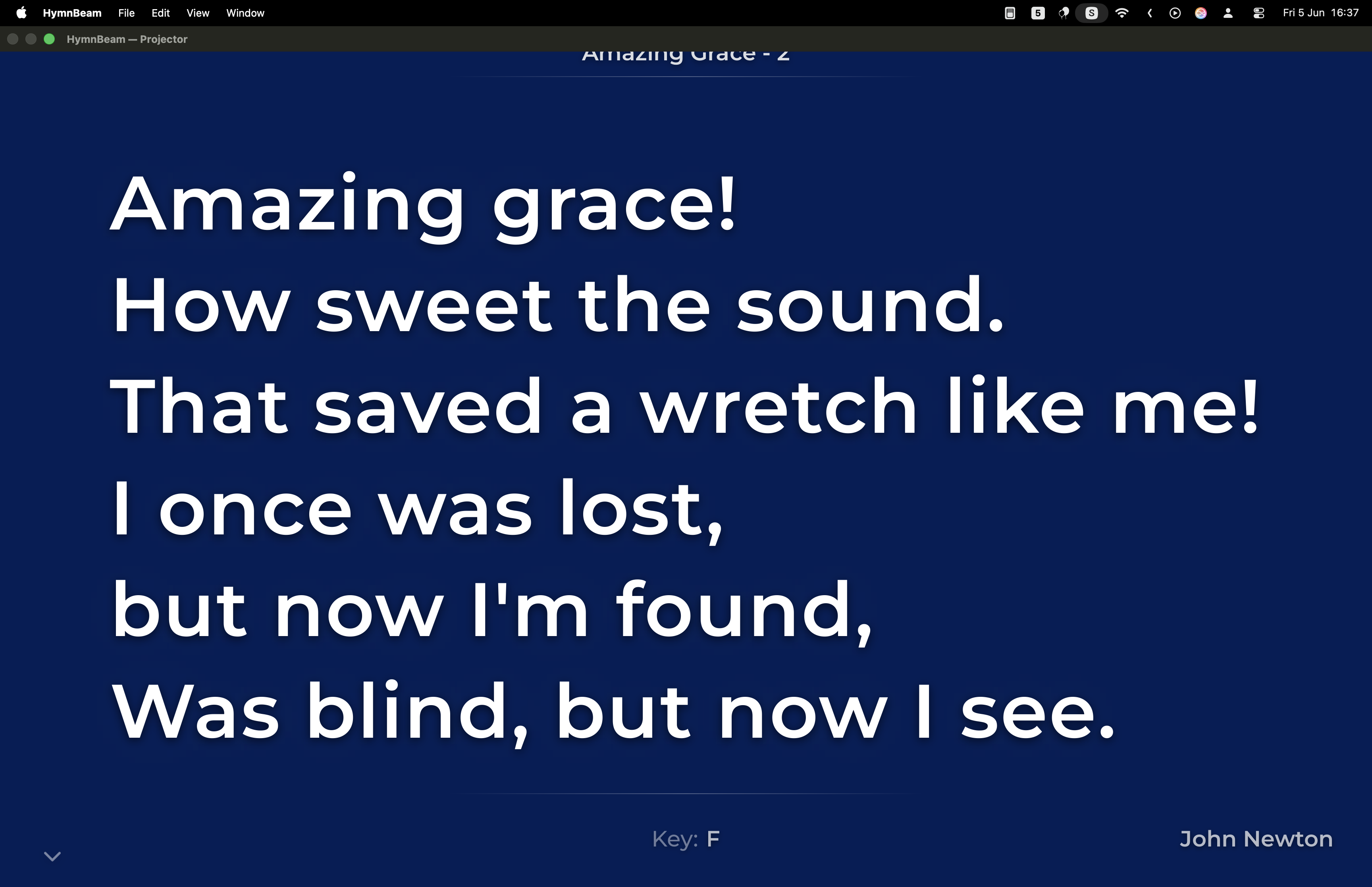
HymnBeam projector output showing large white lyrics on a deep navy background

Projector output

Full-screen, high-contrast lyrics on a secondary display. Large text, clean background, no clutter.

Features

Everything a worship team needs.

Built for church use — simple enough to hand off to a volunteer, powerful enough for weekly production.

⌨️

Keyboard-first workflow

Every action reachable without a mouse. Arrow keys advance slides; single keys blank the screen or jump to any verse.

📺

Multi-monitor routing

HymnBeam automatically sends the projector window to a secondary display. Plug in, click Open Projector, done.

📖

KJV Bible integration

Browse books, chapters, and verses. Project any passage with the same keyboard-first workflow used for songs. Translator-added words shown in italics.

🔍

Smart reference lookup

Type Ecc 9:11, ec 9 11, or the full book name — HymnBeam resolves them all to the right verse.

📋

Collections / setlists

Group songs into ordered setlists for each service. Navigate through the entire set with a single keystroke.

🔎

Full-text search

Search songs by title, author, or lyrics; search the entire KJV by keyword. Results appear as you type.

🖼️

Background images

Upload custom backgrounds per-song or set a global default. Images are stored inside your portable library.

💾

Portable SQLite library

Your entire song database is a single SQLite file in ~/Library/Application Support/HymnBeam/. Easy to back up or copy between Macs.

📤

Import & export

Import songs from JSON, CSV, or plain text. Export your library in the same formats for migration or backup.

The whole KJV, in your workflow.

Browse the full King James Bible from the same panel you use for songs. Jump to any passage by reference — HymnBeam understands abbreviations and alternate spellings so you don't have to be precise.

Ecc 9:11 ec 9 11 Ecclesiastes 9:11 john 3:16 Ps 23 1 cor 13:4 rev 21:4

Translator-supplied words are shown in italics on the projector, matching traditional KJV printing conventions. Full-text search lets you find a passage by keyword when you don't have the reference memorised.

Install

Free. Universal binary. No account required.

Runs natively on Apple Silicon and Intel Macs. macOS 10.15 Catalina or later.

Direct download

Download the DMG from GitHub Releases. Universal binary — one file for Apple Silicon and Intel.

Download .dmg from GitHub
  • 1 Download HymnBeam_x.x.x_universal.dmg from the latest release page.
  • 2 Open the DMG and drag HymnBeam.app to /Applications.
  • 3 First launch only — macOS blocks apps that aren't notarized. Choose one:
  • 3 Right-click HymnBeam.appOpen → confirm the dialog, or run once in Terminal:
xattr -dr com.apple.quarantine
    "/Applications/HymnBeam.app"

Keyboard shortcuts

Run the service without lifting your hands.

Every action reachable from the keyboard. No mouse required.

Next / previous verse→ / ←
Blank / unblank screenSpace
Jump to verse 1–919
Jump to verse 100
Clear displayEsc
Focus projector windowF
Open / close projector⌘⇧P
Blank screen⌘B
New song⌘N
Edit selected song⌘E
Delete selected song⌘⌫
Import songs⌘I
Display settings⌘,

Migrating from another app?

The companion website vsb.bibeltroen.no converts song databases between different formats online. Use it to bring an existing library into one of the formats HymnBeam can import — or to export a HymnBeam library for use elsewhere.

Open vsb.bibeltroen.no ↗